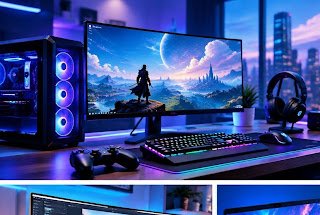
A great gaming setup is not defined by the most expensive computer or the brightest lights. It is a balanced combination of reliable hardware, comfortable accessories, a suitable display and settings that match the games you play. Readers exploring RozGamer.co.uk can use a practical plan to decide which upgrades matter most before spending money.
Start With Performance
Begin by checking the games you play and their recommended system requirements. A competitive shooter may benefit from a stable frame rate and a responsive monitor, while a story-driven adventure may place more emphasis on graphics quality and resolution. Check your processor, graphics card, memory and available storage before buying new parts. If a game runs poorly, update graphics drivers, close unnecessary background applications and review in-game settings first.
Choose a Display That Fits Your Games
A high refresh-rate display can make fast movement look smoother, but it is only useful when your computer can produce enough frames to take advantage of it. Resolution also affects performance: higher resolutions usually require more graphics power. Compare refresh rate, resolution, panel type, response time and desk space instead of choosing a monitor based on one specification alone.
Comfort Is Part of Performance
A chair that supports a comfortable posture, a desk at a sensible height and good lighting can make long sessions easier. Keep the screen near eye level and place the keyboard and mouse where your shoulders can relax. Take regular breaks and avoid turning RGB lighting into glare. A headset should fit comfortably and provide clear sound without needing an excessive volume.
Upgrade in the Right Order
For many players, the best upgrade is the one that fixes the current bottleneck. Extra memory may help a system that frequently runs out of RAM; an SSD can improve loading times; and a graphics-card upgrade may help games limited by GPU performance. Check compatibility and power requirements before buying components. Clean dust from vents carefully and ensure the system has adequate airflow.
Use Settings Before Buying Hardware
Lowering demanding effects such as shadows, reflections or ray tracing can improve frame rates. Use built-in performance overlays or trusted benchmarking tools to identify what is limiting performance. Keep operating-system and game updates current, but read release notes if a new driver causes problems. Avoid suspicious booster applications that promise unrealistic improvements.
Conclusion
A thoughtful gaming setup grows over time. Set a budget, identify the biggest problem, compare reliable options and upgrade one component at a time. For more gaming discussions, hardware ideas and practical guides, readers can explore Vidora as a related digital resource, alongside the gaming-focused content they find on RozGamer.co.uk.
Leave a Comment